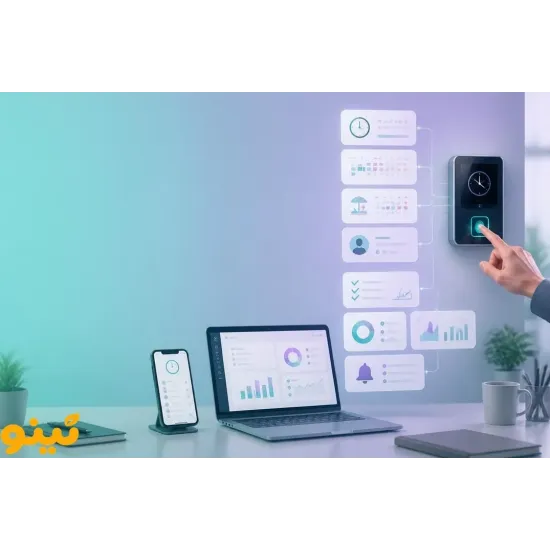
Leave and Mission Management: From Employee Request to Manager Approval
Managing employee leave and business trips becomes easier when the entire process—from submitting a request to managerial approval and final recordkeeping—is handled through a centralized system. Tino Attendance Management Software helps organizations streamline employee attendance-related processes, organize requests, and improve access to workforce information.
When leave requests are handled through phone calls, messaging apps, or paper forms, managers and HR teams may face delays, inaccurate records, and repeated follow-ups. An online attendance management system provides a more structured way to submit, review, approve, and track employee requests.
Why Is Manual Leave and Mission Management Challenging?
In many organizations, employees request time off through informal channels. Managers then need to review each request, communicate the decision, and make sure the relevant information reaches HR.
Without a centralized system, common challenges include:
-
Unclear request status: Employees may not know whether their request is pending or approved.
-
Manual recordkeeping: Entering leave information into separate spreadsheets increases the risk of errors.
-
Time-consuming follow-ups: Managers spend time checking messages and responding to repeated questions.
-
Scattered employee records: Reviewing an employee's leave and business trip history becomes difficult.
-
Attendance discrepancies: Leave records may not match attendance reports and work schedules.
A centralized attendance platform can help organizations organize these processes and make employee information easier to manage.
How Does the Leave Request Process Work?
An online attendance system can provide a structured workflow for employees, managers, and HR teams.
1. Employee Submits a Request
Employees access their account and enter the required information, such as leave type, start date, end date, and additional notes.
With an Android attendance management application, employees can also access supported services through their mobile devices without needing to use an office computer.
2. The Request Is Sent to the Manager
After submission, the request is routed to the designated manager or approver. The manager can review the requested dates, leave type, and relevant work arrangements.
This keeps requests in a centralized workflow rather than scattering them across calls and messaging platforms.
3. The Manager Approves or Rejects the Request
After reviewing the request and the organization's operational requirements, the manager can approve or reject it. If necessary, an explanation can also be recorded.
A clear request status helps employees understand whether their leave has been confirmed or is still awaiting a decision.
4. The Information Is Included in Attendance Records
Once approved, leave information should be reflected in the employee's relevant attendance and work records. This helps HR teams maintain more consistent records and reduces discrepancies between absences, approved leave, and working hours.
Managing Employee Business Trips Through Attendance Software
Business trips also require a clear process for submission, review, and approval. Employees can submit a mission request with details such as the date, duration, and purpose of the trip. Managers can then review the request and record the approved information in the employee's work history.
Using an employee attendance management system for business trips can help organizations:
-
Centralize business trip requests.
-
Track the approval status of each request.
-
Maintain accessible employee mission records.
-
Coordinate work schedules and attendance reports.
-
Reduce manual communication and follow-ups.
The way business trip hours are calculated should still be defined according to the organization's internal policies and applicable regulations.
Web-Based Attendance Software or a Time Clock Device: Which Do You Need?
The right solution depends on workforce size, workplace locations, and management requirements.
| Solution | Main purpose | Suitable for |
|---|---|---|
| Web-based attendance software | Managing employee records, requests, and reports | Organizations that need centralized workforce management |
| Android attendance software | Accessing attendance services through mobile devices | Mobile, remote, and field employees |
| Online attendance software | Accessing information through the internet | Organizations with multiple branches |
| Time and attendance device | Recording employee check-in and check-out | Workplaces that need on-site attendance tracking |
These solutions are not necessarily alternatives to one another. Many organizations use attendance devices to record employee entry and exit times while relying on software to manage leave, business trips, work reports, and employee information.
When considering the purchase of an attendance device, organizations should evaluate its identification method, capacity, compatibility with software, and ability to meet their operational needs.
How Can Tino Attendance Management Software Support HR Teams?
Tino provides a software-based environment for managing attendance-related information and workforce processes. It can help managers organize employee information and reduce reliance on disconnected tools.
A centralized platform can make it easier to review work records, follow employee requests, and access management reports. This becomes particularly important as organizations expand their workforce or operate across multiple locations.
When evaluating Tino, organizations should consider:
-
Employee access to individual accounts.
-
Leave and business trip request management.
-
Manager access to employee requests.
-
Attendance and work-time reporting.
-
Web and mobile accessibility.
-
Compatibility with internal HR processes.
Simplify Leave and Business Trip Management with Tino
Before choosing an attendance management solution, identify your organization's requirements. Consider the number of employees, the approval hierarchy, the types of leave you offer, and the reports your HR team needs.
If you want to reduce manual processes and make employee requests easier to track, Tino Attendance Management Software is worth evaluating.
Explore the platform through a demo or take advantage of Tino's free registration option to assess its suitability for your organization before making a decision.
FAQ
1. How does attendance software manage employee leave and business trips?
Attendance software allows employees to submit leave and business trip requests through a centralized platform. Managers can review, approve, or reject requests, while approved information can be recorded in employee attendance and work records. This helps HR teams reduce manual processes, track request statuses, and maintain more organized employee records.
2. Can employees submit leave requests using their mobile phones?
Yes. If the attendance software supports mobile access, employees can use their smartphones to log in, submit leave requests, provide relevant details, and track approval statuses. Mobile access makes the process more convenient, especially for remote employees and teams working across multiple locations.
3. What is the difference between online attendance software and a time clock device?
Online attendance software is used to manage employee information, leave requests, business trips, attendance reports, and work schedules through a web-based platform. A time clock device, on the other hand, records employees' check-in and check-out times using methods such as fingerprint recognition, access cards, or facial recognition. Organizations can use both solutions together for more comprehensive workforce management.
4. Can Tino attendance software support business trip management?
Tino attendance management software can be considered as a platform for organizing attendance-related employee processes, including business trip requests and records. Organizations should review the available features and settings in the relevant Tino plan or demo to confirm that its workflow matches their internal approval and reporting requirements.
5. How can organizations explore Tino attendance software?
Organizations can visit the Tino website to learn more about its attendance management solutions. They can also explore the free registration or demo options, where available, to evaluate the platform's features and determine whether it meets their workforce management needs.