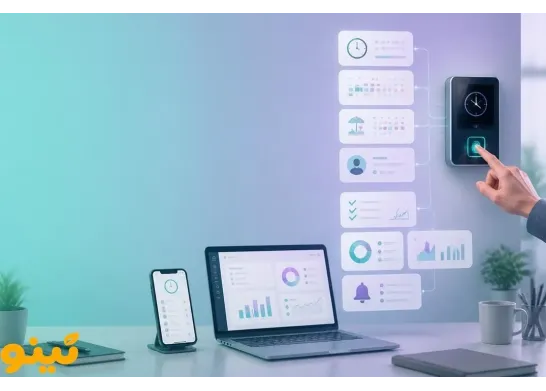
Employee Attendance Tracking Checklist: Choosing the Right Method for Your Business
Choosing the right employee attendance tracking method involves more than purchasing a time clock or installing a software application. Every business has different requirements based on its workforce size, working arrangements, shift patterns, number of locations, and the proportion of employees working on-site or remotely. A solution that works well for a small office may not be suitable for a factory with multiple shifts or a company whose employees regularly work at client locations.
Before investing in an employee attendance system, businesses should identify their operational needs and compare the available options. This checklist explains how to choose an attendance tracking method that fits your company’s size, work environment, and budget.
1. Assess Your Company Size Before Choosing an Attendance Method
The number of employees is an important factor when selecting an attendance tracking solution, but it is not the only consideration. Daily traffic, the distribution of employees across locations, and expected business growth also affect the decision.
Small Businesses and Startups
For a small company where most employees work in one office, a straightforward and affordable solution may be sufficient. A physical employee time clock or a suitable software-based system can be considered, depending on how the team works.
If your workforce includes both on-site and remote employees, look for a solution that can accommodate different working arrangements rather than relying exclusively on a device installed at one location. It is also worth checking whether the system can scale as your team grows.
Medium-Sized Businesses
Medium-sized companies often need more than basic clock-in and clock-out records. Shift management, overtime tracking, absence records, and attendance reports become increasingly important as workforce management becomes more complex.
An employee attendance system should support the company's working schedules, required reporting, and preferred attendance methods. If employees work across several locations, centralized access to attendance data may also be useful.
Large and Multi-Location Organizations
Large organizations need to consider data volume, multiple branches, complex shifts, and user permissions. In some cases, combining physical time clocks with web-based attendance software is more practical than relying on a single method.
Before purchasing, verify device compatibility, data transfer options, centralized management capabilities, and the availability of reports for individual branches or departments.
2. Match the Attendance Method to Your Business Operations
The best attendance tracking method depends on where and how employees work.
- Office-based businesses: Time clocks, card-based systems, or software-based attendance tracking may be suitable, depending on the company's requirements.
- Factories and industrial facilities: Consider environmental durability, user capacity, recording speed, and whether the identification method works well in the operating environment.
- Sales and service teams: If employees regularly visit clients or work outside the office, mobile attendance tracking and location verification may be worth evaluating where appropriate and with suitable privacy safeguards.
- Remote and hybrid teams: Choose software that accommodates off-site work and supports attendance policies appropriate to the organization.
- Multi-branch companies: Centralized access and the ability to organize reports by branch or department can make attendance administration easier.
Before choosing an employee time clock or attendance software, identify where employees work, how they move between locations, and what restrictions may affect attendance recording.
Should You Choose an Employee Time Clock or Web-Based Attendance Software?
These options are not necessarily alternatives to one another. An employee time clock typically records attendance at a specific physical location, while attendance software helps manage, review, and report on attendance data. For many businesses, combining both can be a suitable approach.
When Is an Employee Time Clock the Right Choice?
A physical time clock may be appropriate when most employees work at a defined location and the company needs to record attendance through on-site equipment.
When evaluating devices, consider the identification method, user capacity, recording speed, operating conditions, data transfer options, and software compatibility.
Remember that purchasing a time clock does not automatically address every workforce management requirement. You should also evaluate how attendance records are transferred, processed, and used to generate reports.
When Is Web-Based Attendance Software More Suitable?
Web-based attendance software may be useful for businesses that need online access to attendance information, centralized administration, or coordination across multiple locations.
Authorized managers and HR staff can access the information and reports available to them through the platform, depending on the product's features and configured permissions.
For employees who work remotely or travel for business, check which attendance methods the software supports and what restrictions apply. Mobile check-ins, GPS, QR codes, and other methods should be selected according to the platform's actual capabilities and the company's policies.
What Features Should You Evaluate in Attendance Management Software?
Rather than focusing on a long list of advertised features, identify the capabilities that support your company's daily processes.
Shift scheduling and work rules: The software should accommodate working hours, rotating shifts, holidays, and the attendance rules established by your organization.
Practical reporting: Evaluate whether the system can report on clock-in and clock-out times, lateness, absences, overtime, and employee working hours. Reports should help managers review records and make informed decisions.
Attendance recording methods: Determine whether your business needs device-based, web-based, or mobile check-ins. Confirm which methods the selected software actually supports.
Access controls and data security: Review user roles, viewing and editing permissions, backup procedures, and data retention policies.
Support and scalability: Ask about technical support, onboarding, additional fees, and the ability to add users or integrate with other business systems.
How Should You Calculate the Total Cost of Attendance Tracking?
Comparing the initial price of a device or software subscription is not enough to determine which option is more cost-effective. Total costs may include equipment, installation, setup, training, maintenance, support, software subscriptions, and integration with other systems.
For example, a low-cost time clock may have limited capacity or compatibility issues. Conversely, a complex system may introduce unnecessary costs for a small business.
To compare options fairly, estimate the total cost of ownership over the same period and consider it alongside usability, reporting capabilities, and future scalability.
How Can You Choose the Right Employee Attendance System?
After completing the checklist, organize your requirements into three categories.
- Essential requirements: Reliable attendance recording, sufficient employee capacity, and support for your company's working arrangements.
- Management requirements: Reporting, shift management, centralized access, and appropriate control over attendance data.
- Future requirements: Workforce growth, additional branches, changing work arrangements, and potential integration with other systems.
Ask each provider to explain how the solution works, which limitations apply, what the total costs will be, and whether the system supports your required processes. If a trial is available, test it using realistic scenarios such as recording attendance, reviewing lateness, and generating working-hour reports.
Explore Tino Attendance Management Software
If you are considering a software-based approach to employee attendance management, explore Tino's attendance management solution. Tino is a web-based solution designed to support attendance management. Before choosing it, assess its available attendance methods, features, usage requirements, and suitability for your company's workflows.
You can also visit Tino's free registration page to explore the platform and evaluate whether it meets your organization's needs.
Conclusion
Choosing the right employee attendance tracking method requires evaluating workforce size, business operations, work locations, shift patterns, reporting requirements, and budget. An employee time clock can be useful for recording attendance at a specific physical location, while web-based attendance software can support centralized attendance management. For some businesses, combining the two offers a practical solution.
FAQ
Is a time clock or attendance software better for a small business?
The best choice depends on where employees work and what the business needs. A time clock may suit a team working at one location, while software with suitable attendance methods may be more appropriate for remote or hybrid teams.
What are the benefits of web-based attendance software?
Web-based attendance software can provide online access to attendance information and support centralized management. Available features, recording methods, and manager permissions depend on the selected product.
What should you consider when buying an employee time clock?
Important factors include user capacity, identification method, recording speed, operating conditions, data transfer options, software compatibility, technical support, and additional costs.
Can an employee time clock be integrated with attendance software?
Yes, if the device and software are compatible. The device can record attendance, while the software manages records and generates reports. Technical compatibility and data transfer methods should be verified before purchase.
Is attendance tracking different for remote and on-site employees?
Generally, yes. On-site employees may use a device installed at the workplace, while remote or field employees may need appropriate software-based methods. The chosen approach should align with company policies, operational requirements, and privacy considerations.